A new placement starts in a SharePoint list and ends as a complete file in AFAS. In between sit UpdateConnectors, a VOG, an ID check and Microsoft 365.
October 2026
8 min read
You can automate onboarding around AFAS Profit with its REST API: GetConnectors to read, UpdateConnectors to create the person, the project and dossier items. Around it run the ID check through a screening provider's API, the VOG check, contracts through Acrobat Sign, files in SharePoint and mail through Outlook. People only see the exceptions.
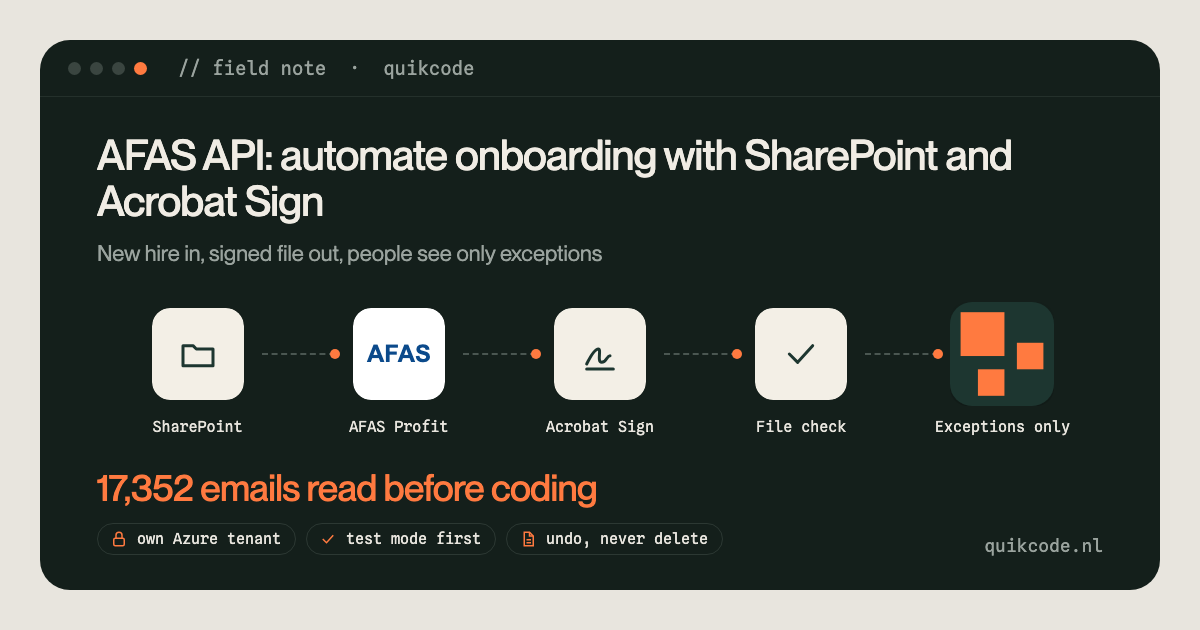
Yes, you can build an AFAS API koppeling that runs onboarding from start to finish. AFAS Profit has GetConnectors to read data and UpdateConnectors to write it, so a new placement can create the person, the project and the dossier items in AFAS without anyone typing. Around that sit the checks every candidate needs before day one: an ID check, a VOG (certificate of conduct), signed contracts and a complete file. I built this for a Dutch IT secondment agency, a detacheerder. This note shows how the pieces connect, with the real connector names.
Before, one back-office person did around a hundred manual steps per placed candidate. Read the new hire from a SharePoint list, type the person and project into AFAS, create folders, number the contract, send screening and contract sets through Adobe Acrobat Sign, chase signatures, and check the file before the start date. Every client has its own document set and its own rules, and the largest client audits the files.
AFAS Profit has a REST API with two kinds of connectors. A GetConnector is a read view you define in Profit: you choose the fields, AFAS returns them as JSON, with filters and paging. An UpdateConnector creates or changes a specific type of record. Access goes through an app connector with a token, and the test environment has its own token. Every call goes to /connectors/ plus the connector name.
In this build:
Three things worth knowing before you write to AFAS:
Two checks every candidate needs, handled in different ways.
The ID check. The agency no longer collects passport copies, for GDPR reasons. Instead the identity is verified through a PID check at the screening provider, which is required for every candidate. The provider has a REST API with OAuth2 client credentials, so the flow requests the check per candidate with the right screening profile. That is the KYC part of onboarding: the identity is checked at the source, and there is no passport scan sitting in a folder.
The VOG. The candidate requests the VOG at Justis and pays for it. The flow knows which screening profile each client needs: 95 (financial services) as the standard, 45 for healthcare. Municipalities and brokers often request it themselves. The same VOG profiles are set up at the screening provider, so the request can also go through its API. Then the check:
The same check reads diplomas, CVs and Chamber of Commerce extracts. A diploma has to be the highest education in the CV, a reference has to come from the end client and not the agency, and an extract may be at most three months old. When a consultant comes in through another firm, the extract is checked automatically and the other registration checks stay with a person. Every signal says what the person should do. The software never rejects a file on its own.
Microsoft 365 is both the start and the end of the chain. Everything goes through Microsoft Graph, with an app registration in the agency's own tenant.
Sites.Selected, so it can reach the agency's own site and nothing else.Mail.Send. Shared addresses like screening@ are often distribution groups, which can't send, so a real mailbox is the sender. The dashboard also shows the latest emails per candidate, read-only. The software never marks a message as read: what has been processed is kept in its own journal, not in someone's inbox.Seconded consultants work at the client, so this build doesn't create Microsoft 365 accounts. For internal staff it is the obvious next step, and there are two routes.
Of 120 candidates on the work list, 96 can run fully automatically. The rest wait for a choice that belongs to a person, such as which AFAS organisation belongs to a client.
More on what I build around AFAS is on the AFAS integration page, and other builds are on the work page. If AFAS, SharePoint and your screening still need a person in between, let's talk for 30 minutes.
Yes. AFAS Profit has a REST API with GetConnectors to read data and UpdateConnectors to create or change records, such as KnPerson for a person, PtProject for a project and KnSubject for a dossier item. Access goes through an app connector token, and the test environment has its own token.
Partly. The candidate still requests the VOG at Justis, or a screening provider requests it through its API. The automation can store the VOG as a dossier item in AFAS, read it, and check the issue date, name and screening profile against the rules per client.
Through a screening provider with an API. The onboarding flow requests a PID check per candidate, so the identity is verified at the source and you don't have to keep passport copies. The result goes into the candidate's file.
AFAS Profit can assign a UPN to a new user and sync user groups to Entra ID, according to the AFAS help center. For more control, a custom flow can create the account through Microsoft Graph with a UPN built from the names in AFAS, and write it back.
Not persons: the KnPerson connector can't delete. Design for undo by marking a project as void and adding a note to the person, and prevent duplicates by matching on keys before you create anything.
Yes, through Microsoft Graph. A scheduled job can read a SharePoint list as the trigger, file documents in SharePoint and in the AFAS dossier, and send reminders and summaries from an Outlook mailbox.